
ramDisk
High-speed APFS memory-backed volatile workspace manager, build cache accelerator, and MCP server for macOS.
Shipping · v1.1.0
Platforms:
macOS 15.0+Universal2 (arm64 + x86_64)APFS RAM DiskSwiftUI + CLI + MCP
Application Screenshots
Captured on macOS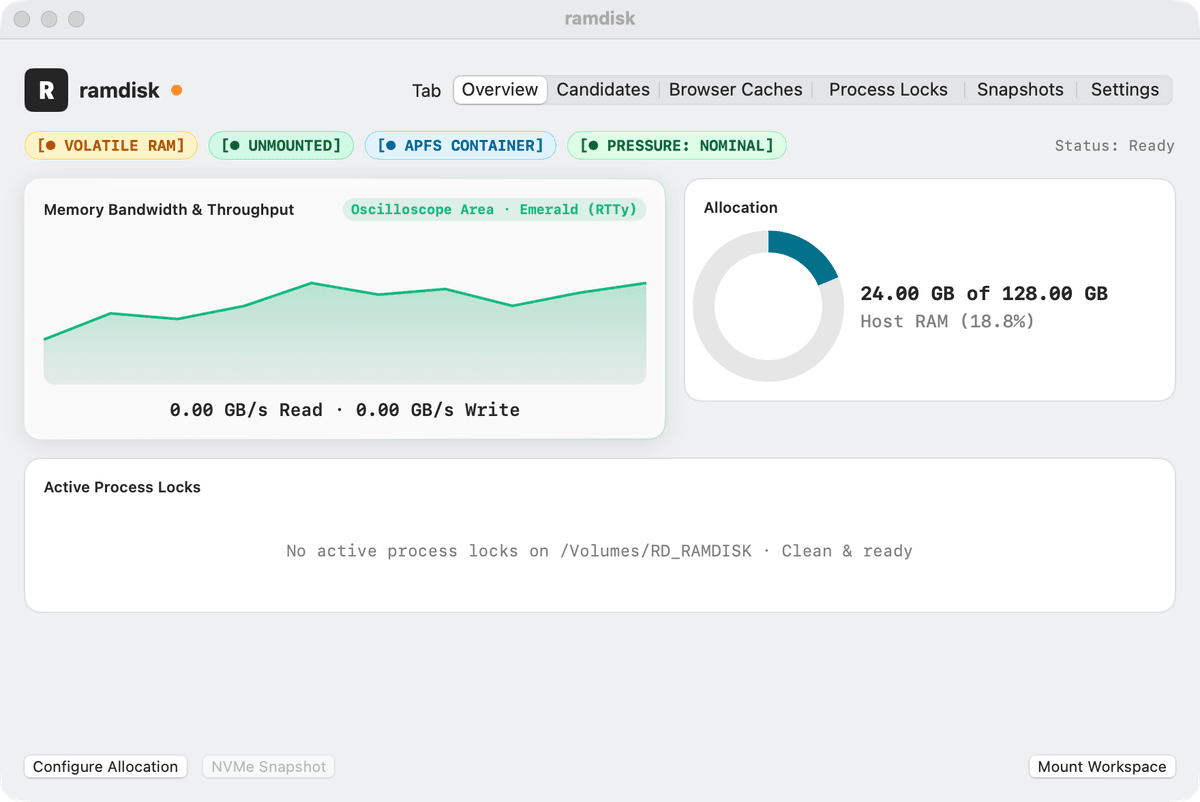
Key Features
- Creates, mounts, monitors, and cleanly ejects native APFS RAM disks (case-sensitive or standard) in under a second
- Eliminates NVMe SSD write wear from heavy Xcode DerivedData, SwiftPM `.build`, Rust `target`, and test scratch workloads
- Real-time memory pressure monitor automatically warns or snapshots scratch volumes when system RAM pressure rises
- Native macOS desktop window and MenuBarExtra status item displaying live volume capacity and mount paths
- Full command-line interface (`rdramdisk`) and built-in Model Context Protocol (MCP) server (`rdramdisk mcp`)
- Optional snapshot-on-unmount archives critical artifacts to persistent storage before volume teardown
System Requirements
- Operating System
- macOS 15.0 (Sequoia) or later · macOS 27.0 & 26.7 verified
- Architecture
- Universal2 binary (Apple Silicon arm64 & Intel x86_64)
- Code Signing
- Developer ID Application: east coast science, llc (ZU2882L4HT) · Apple Notarized
- Storage & Memory
- 12 MB binary · Recommended 16 GB+ system unified memory
- Privacy & Security
- Uses native macOS `hdiutil` and `diskutil` APFS APIs · Zero network access
What's New
v1.1.0 ·- Added native SwiftUI desktop management window with one-click Create Volume and Refresh actions.
- Added built-in Model Context Protocol (`rdramdisk mcp`) server for automated ephemeral test workspaces.
- Added live system memory pressure indicator (Nominal / Warning / Critical) in the status bar.
- Verified Universal2 build across Apple M4 Max and Intel macOS workstations.